How to top up your Non voip account using Kazawallet?
Kazawallet is one of the fastest and most efficient payment methods on Non-VoIP, consistently offering the Maximum Bonus on every top-up compared to other payment options.
Steps to Top Up Your Non-VoIP Account Using Kazawallet
Step 1: Choose the Payment Method and Package
- Visit the official Non-VoIP website.
- If you already have an account, log in. If you are a new user, create an account.
After logging in, go to the "Top up" page.
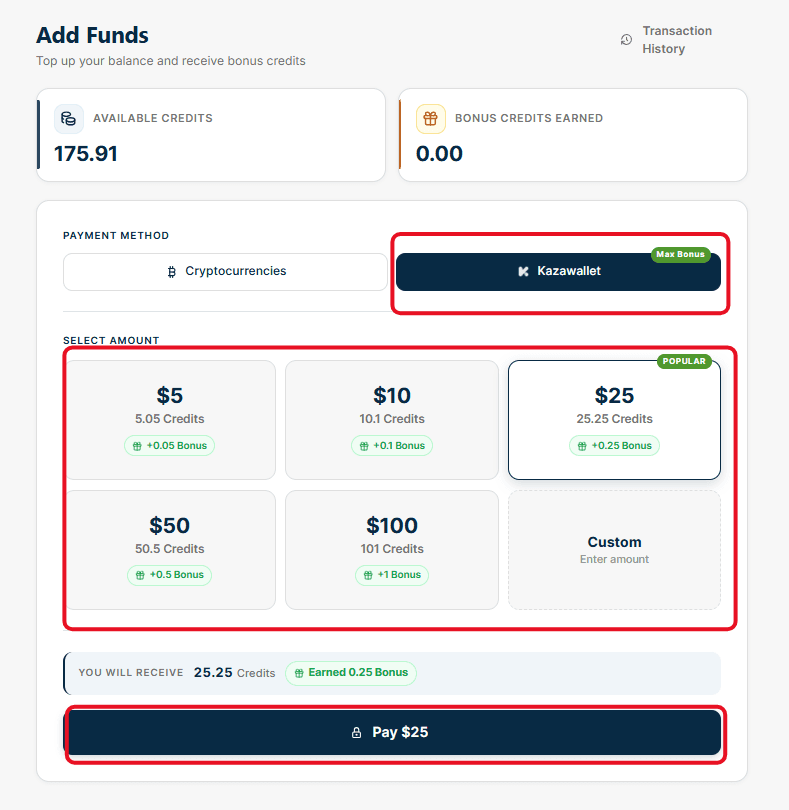
Select "Kazawallet".
Choose the amount you want to top up from the pre-set packages (e.g., $25, $10, $50).
If you want to top up a specific amount not listed in the packages, select the "Custom" card and enter the amount manually in the box below (note that the system will display the free bonus you will receive with your package).
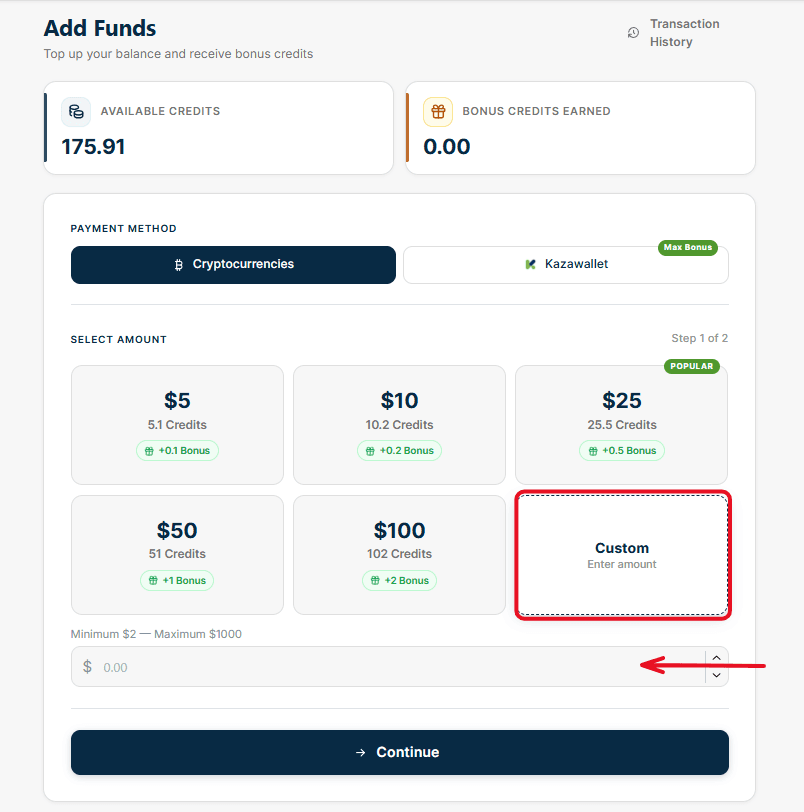
After making your selection, click the "Continue" button.
Step 2: Complete the Payment via QR Code or Link
Once you click "Continue," a pop-up window titled "Complete Payment" will appear containing your transaction details (Order ID and the amount to be paid). To finalize the process, you have two options:
Option 1: Scan the QR Code displayed on the screen directly using the Kazawallet app on your phone.
Option 2: Copy the "Payment Link" or simply click the blue "Pay" button, which will securely redirect you to the Kazawallet page to complete the procedure.
Ensure you complete the payment via the secure link before the timer expires (which is usually 30 minutes).
Once Kazawallet confirms the payment, the main balance along with the "Max Bonus" will be automatically added to your Non-VoIP account, allowing you to start purchasing numbers immediately.
Important Note for Mobile Users
If you are using the Non-VoIP platform via your mobile browser, the interface design differs slightly to fit mobile screens.
Unlike the desktop screen that displays all options on a single page, the mobile interface relies on a Step-by-Step system to facilitate usability.
To see the exact details and layout of these steps while using a mobile device, we recommend watching the following explanatory video: