If you're looking to add credits to your Non-VoIP account, follow these simple steps:
- Visit the Non-VoIP Website:
- Start by navigating to the Non-VoIP website. You can do this by entering https://non-voip.com/ into your browser's address bar.
- Login or Create an Account:
- If you already have an account, log in using your credentials. If not, you'll need to create an account by providing the necessary information.
- Access the Top-Up Section:
- Once logged in, locate the burger icon (three horizontal lines) typically found in the top-left or top-right corner of the website. Click on it to reveal a menu.
- Choose "TopUp":
- From the menu, find and click on the "TopUp" option. Alternatively, you can directly access the Top-Up page by following this link.
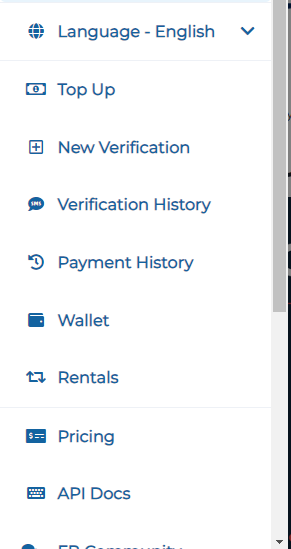
- From the menu, find and click on the "TopUp" option. Alternatively, you can directly access the Top-Up page by following this link.
- Select Your Preferred Payment Method:
- On the Top-Up page, you'll see various payment methods available. Choose the one that suits you best. Non-VoIP offers the following options:
- Crypto: Pay using popular cryptocurrencies.
- Manual 24/24: Manual payment available 24/7.
- Payeer: Utilize the Payeer payment method.
- Kazawallet (Recommended): Consider using Kazawallet, our recommended payment method.
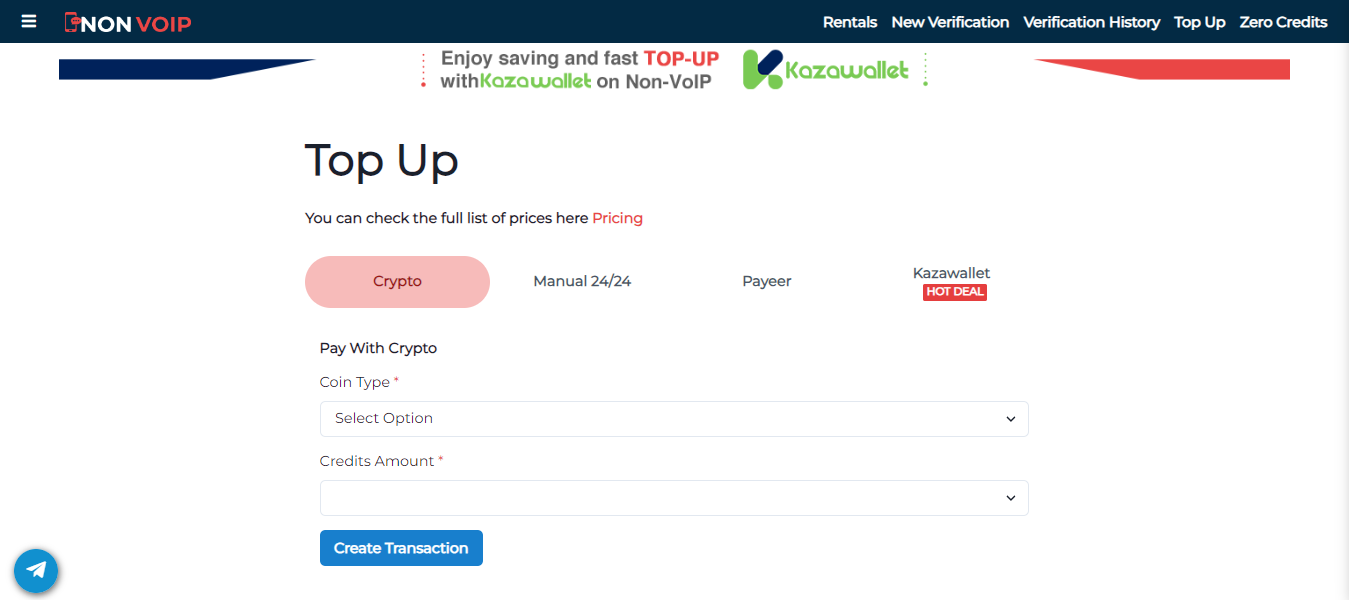
Follow the prompts and instructions for your chosen payment method to complete the Top-Up process successfully. Ensure that you verify the transaction details before confirming the payment.
By following these steps, you'll be able to easily and securely add credits to your Non-VoIP account, ensuring uninterrupted access to our services.